Some simple steps to turn a security assessment into a 90-day cloud hardening plan
You just finished your security assessment. The report landed in your inbox. Now what?
Most SMBs hit pause right here. They read the findings, maybe forward them to their IT person, and then nothing happens. The assessment sits in a folder somewhere while the vulnerabilities it uncovered stay wide open.
That's where the 90-Day Cloud Hardening Plan comes in. It's Step 3 in the Black Clover process, right after Discovery and your 7 to 10 Day Assessment, and it's designed to turn those assessment findings into actual security improvements you can see and measure.
What "Hardening" Actually Means for Your Business
When security people talk about "hardening," they're just talking about locking things down. Think of it like securing your house: you're not building a fortress, you're just making sure the doors lock, the windows close properly, and you're not leaving the spare key under the mat.
For an SMB running Microsoft 365 or Google Workspace, hardening looks like:
- Enforcing MFA on every account (not just some of them)
- Cleaning up file sharing so your sensitive docs aren't accidentally public
- Removing old user accounts from ex-employees
- Turning off features you're not using that create security holes
- Making sure your backups actually work
Nothing fancy. Just closing the gaps that attackers look for first.
Why 90 Days?
Three months gives you enough time to make meaningful changes without dragging it out so long that nothing gets done. It's also a realistic timeline for most SMBs who don't have a dedicated security team.
The plan breaks down into three distinct phases, each with clear goals:
Month 1: Get Your Bearings
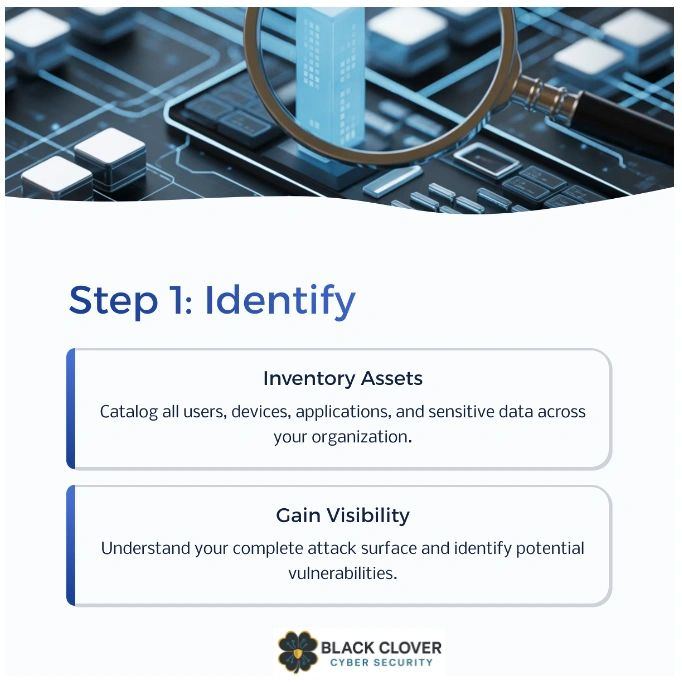
The first 30 days are about understanding what you're working with. Your assessment already told you what the problems are. Now you need to figure out where everything lives and who's responsible for fixing it.
This phase includes:
- Mapping out all your cloud resources (who has access to what)
- Identifying your highest-risk exposures (the stuff that could cause a breach tomorrow)
- Prioritizing which fixes matter most (not everything is equally urgent)
- Setting up your baseline metrics so you can measure progress
You're not fixing much yet. You're just getting organized so you know what to fix first.
Month 2: Make the Big Changes
Days 31 to 60 are where the actual hardening happens. This is when you implement the security controls your assessment recommended, starting with the highest-priority items.
For most SMBs, this includes:
- Identity and access cleanup: Enforce MFA everywhere, remove inactive accounts, review admin privileges, and make sure people only have access to what they actually need for their jobs
- Configuration fixes: Lock down file sharing settings, disable risky features like external forwarding, and apply security baselines to your M365 or Google Workspace tenant
- Patching and updates: Get everything up to date, especially the things your assessment flagged as running outdated software
- Data protection: Make sure sensitive files are labeled and protected, and that your backup system is working (and tested)
This phase feels like work because it is. But it's also where you see risk drop fast.
Month 3: Turn It Into a System
The final 30 days (days 61 to 90) are about making sure this doesn't just become another one-time project. You're building the systems that keep your environment secure going forward.
This phase includes:
- Automated monitoring: Set up alerts for risky changes, like new admin accounts or unusual login locations
- Regular reviews: Schedule monthly checks on user access, file sharing, and configuration drift
- Incident response prep: Document what to do if something goes wrong, so you're not figuring it out during an emergency
- Vulnerability management: Establish a process for reviewing and patching new vulnerabilities as they're discovered
By day 90, you're not just more secure. You have a system in place that keeps you secure.
What This Looks Like in Practice
Let's say your assessment found that 40% of your employees haven't enabled MFA, you have 12 inactive user accounts from former employees, and three shared folders containing financial data are accessible to "anyone with the link."
Month 1: You inventory all active accounts, document who owns which shared folders, and prioritize MFA enforcement as your top risk.
Month 2: You enforce MFA organization-wide, remove the 12 inactive accounts, lock down the three exposed folders, and audit the rest of your sharing settings.
Month 3: You set up automated alerts for any new shared links created, schedule quarterly access reviews, and document the process for offboarding employees so their accounts get disabled the same day they leave.
That's hardening. It's not complicated. It just has to actually happen.
The Benefits You'll See
After 90 days, you'll have:
Clear visibility: You'll know exactly what's in your environment, who has access to it, and where your sensitive data lives. No more guessing.
Lower risk: The vulnerabilities that made you an easy target are closed. Attackers will move on to easier prey.
Better insurance alignment: Insurers want to see documented security controls and monitoring. You'll have both, which means better rates and fewer claim denials.
Confidence: You'll know your environment is actually being watched, not just set up once and forgotten.
How This Fits Into the Bigger Picture
The 90-Day Hardening Plan is Step 3 in the Black Clover process for a reason. Steps 1 and 2 (Discovery and Assessment) tell you where you're vulnerable. Step 3 is where you actually do something about it.
Most SMBs skip this step. They get the assessment, read the findings, and then nothing changes. That's like going to the doctor, getting test results that say you need to change your diet, and then continuing to eat the same way.
The plan exists to bridge that gap between knowing what's wrong and actually fixing it.
You Don't Have to Do It Alone
If you're thinking "this sounds like a lot of work," you're right. It is. But it's also the difference between being secure and just having a report that says you're not.
The good news? You don't have to figure it all out yourself. The Security Risk Audit & Assessment Black Clover offers includes the 90-Day Hardening Plan as part of the process. We help you prioritize, implement, and maintain the changes so you're not left staring at a to-do list wondering where to start.
What Happens After Day 90?
The plan doesn't end at 90 days. By then, you've built the foundation for proactive threat detection and ongoing vulnerability management. You're monitoring for issues instead of discovering them months later during a breach.
Think of the 90-Day Hardening Plan as the transition from reactive to proactive security. Before it, you're responding to problems after they happen. After it, you're catching them before they become problems.
Your assessment showed you the gaps. The next 90 days are about closing them. After that, you just keep them closed.
Ready to turn your assessment into action? The plan is already laid out. You just have to start.
Disclaimer: This article provides general information about cybersecurity practices and cyber insurance considerations. It is not legal advice, insurance advice, or a guarantee of insurance coverage or premium reductions. Consult with your insurance broker, legal counsel, and cybersecurity professionals for guidance specific to your business.