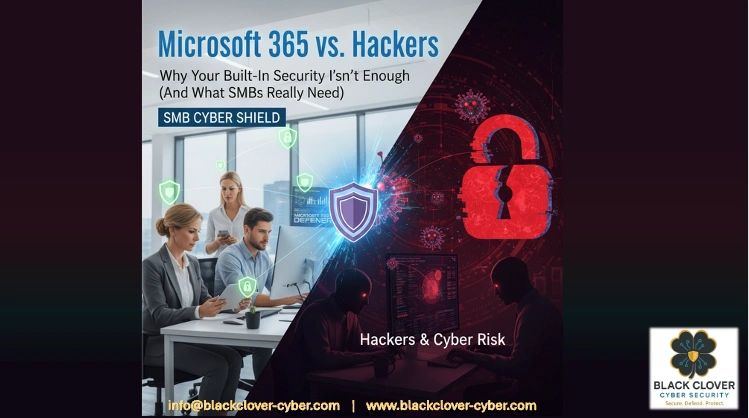
Microsoft 365 vs. Hackers: Why Your Built-In Security Isn't Enough and What SMBs Really Need.
OK, so you've made the smart move to Microsoft 365 for your business. The productivity tools are fantastic, your team can collaborate from anywhere, and Microsoft keeps telling you that security is "built right in." But here's what they don't advertise on those shiny brochures: hackers are having a field day with businesses just like yours who think the built-in security is enough.
The reality? Your M365 setup might be more vulnerable than you realize. But don't worry. This isn't about scaring you. It's about showing you exactly what's missing and how to fix it without breaking the bank or needing a computer science degree.
What Microsoft 365 Actually Gives You Out of the Box
Let's start with the good news. Microsoft 365 does come with legitimate security features that work against basic threats. You get anti-phishing, anti-spam, and anti-malware protection for email. There's multi-factor authentication (MFA) available to stop hackers even when they steal your passwords. Safe Links scans URLs in real-time, and Safe Attachments checks those sketchy Office files before they can cause damage.
Microsoft has been busy too. As of December 2025, they've added Security Copilot agents that help automate some security tasks, and they've enhanced Teams with better phishing protection. If you're on Business Premium, you can even add the Microsoft Defender Suite for more comprehensive coverage.
These aren't just marketing features. They actually work. The problem isn't that Microsoft's security is bad. The problem is that it's incomplete, and most small businesses don't even use what they have properly.
The Critical Gaps That Keep Security Experts Up at Night
Here's where things get concerning. The 2025 CoreView State of Microsoft 365 Security Report found that misconfigurations, privilege sprawl, and limited visibility are the main reasons businesses get breached. Even worse, 82% of breaches involve identity compromise, yet nearly 60% of companies still don't have basic protections like MFA properly set up.
Think about that for a second. You have a security tool sitting right there in your M365 dashboard, but chances are you haven't turned it on for everyone. Or maybe you did, but you missed the service accounts, or the executives who complained it was "too annoying."
The identity problem is just the beginning. Email forwarding is another massive vulnerability that most businesses never think about. Hackers love to set up automatic forwarding rules to steal your data quietly over months. Your M365 setup probably allows this by default.
Then there's the configuration nightmare. Microsoft gives you all these security knobs and dials, but they don't come pre-tuned for your business. Attack Surface Reduction policies that could block dangerous macros? Usually not enabled. Transport rules to prevent risky file types? Missing. Data loss prevention? Often misconfigured or too restrictive to be useful.
What Your Business Actually Needs to Stay Secure
The good news is that you don't need to throw out M365 and start over. You just need to fill the gaps systematically. Here's what actually matters for small and medium businesses:
Get Your Identity House in Order
MFA isn't optional anymore. It's like wearing a seatbelt. Enable it for everyone, including service accounts and that one executive who thinks they're "too busy" for security. Use Security Defaults if you're just getting started, or set up conditional access policies if you need more control.
The trick is making it as painless as possible. Modern authentication apps are much better than the clunky SMS codes from a few years ago. Your team will adapt faster than you think.
Fix Your Email Security Configuration
Your email is your biggest attack surface, so spend time getting this right. Enable anti-phishing policies with impersonation detection. Set up transport rules to block dangerous file types and prevent Office applications from running macros from the internet. Turn on Zero Hour Auto Purge (ZAP) so Microsoft can remove threats even after they've been delivered.
Most importantly, audit your email forwarding rules. Many businesses discover that former employees or compromised accounts have been quietly forwarding sensitive emails for months.
Build Real Monitoring and Response Capability
Here's where most small businesses hit a wall. Microsoft gives you logs and alerts, but reading them requires expertise you probably don't have in-house. You need someone watching for the subtle signs of compromise, like unusual login patterns, new email rules being created, or data being accessed at odd hours.
This is where partnering with a managed security provider makes sense. They can monitor your M365 environment 24/7 and alert you to real threats while filtering out the noise.
Don't Forget Administrative Controls
Require administrator approval for third-party applications accessing your Teams and Exchange data. Review who has administrative privileges regularly. You'd be surprised how many former employees still have access months after leaving.
Set up data loss prevention policies that actually work with your business processes. The key is starting simple and gradually adding more sophisticated rules as you learn what works.
When You Need More Than Microsoft Can Provide
Sometimes the built-in tools just aren't enough. If you're handling sensitive customer data, operating in a regulated industry, or have been targeted before, you'll likely need additional security layers.
Third-party solutions can provide tenant configuration backup (which M365 doesn't do natively), advanced threat hunting, and better visibility across your entire technology stack. The statistics are compelling: organizations with Privileged Identity Management solutions experience 64% fewer security incidents.
But don't feel like you need to solve everything at once. Start with the basics: MFA, proper email security configuration, and basic monitoring. You can always add more sophisticated tools as your business grows and your security needs evolve.
Your Next Steps Don't Have to Be Overwhelming
You don't need to become a cybersecurity expert overnight. Start with an audit of your current M365 security configuration. Most businesses discover they're not using half the security features they're already paying for.
Enable MFA for all users this week. It's the single most effective step you can take. Then work on your email security settings: block dangerous file types and review those forwarding rules.
If this feels overwhelming, that's normal. Most successful businesses partner with cybersecurity experts who can handle the technical details while you focus on running your company. The key is not waiting until after something bad happens.
Want to see exactly where your M365 security stands? A quick security assessment can show you which gaps need attention first and help you prioritize the changes that will have the biggest impact on your security posture.
Your Microsoft 365 investment is solid. You just need to make sure you're using it securely. With the right configuration and a few strategic additions, you can turn those security gaps into a competitive advantage.
Co-written by Rajah Chowbay & Jeff Lennon, Senior Cybersecurity Advisors and Co-Founders at Black Clover Cybersecurity.